How to Make Video Ads for Your Shopify Store (Without a Film Crew)
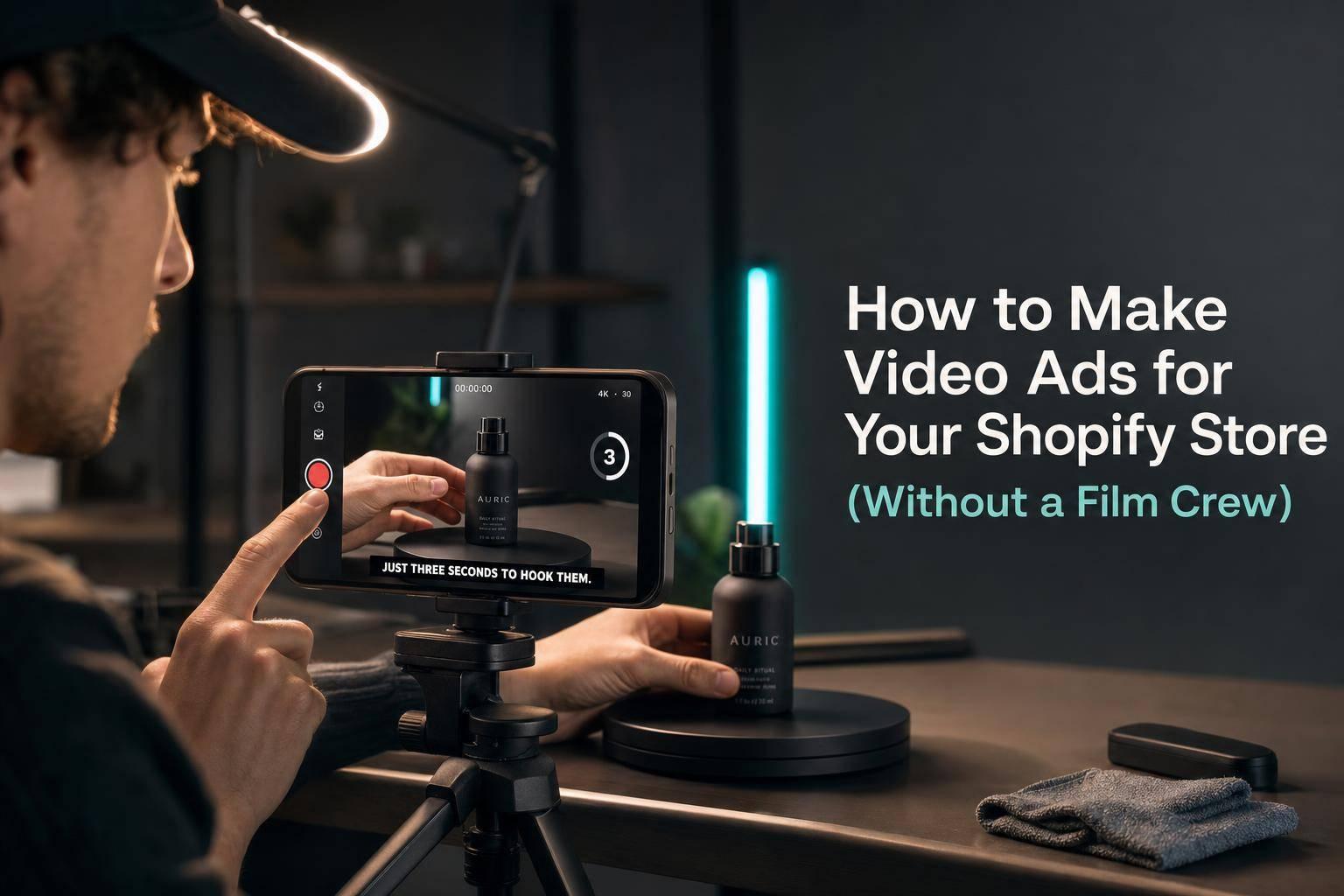
You do not need a $5,000 video shoot to make Shopify ads that sell. In many cases, a short phone-shot video, clear captions, a strong first 3 seconds, and a simple product demo are enough to get started.
Here’s the short version:
- Video beats static images for many Shopify brands, with reports showing 20% to 30% higher conversion rates on Meta and 48% more purchases from cold audiences.
- On product pages, a 10- to 30-second in-use clip can lift conversion by 17% to 33%.
- The basic ad structure is simple: hook, demo, CTA.
- For cold traffic, keep most videos around 7 to 15 seconds and use 9:16 vertical format.
- Test hooks, angles, and CTAs before spending more on production.
- DIY works for early tests, but once ads fade after 5 to 14 days, many stores struggle to keep up with new versions.
A simple way to think about it: show the product fast, answer one buying question, and tell people what to do next.
If I were building Shopify video ads today, I’d focus on these five things first:
- Hook the viewer in 3 seconds
- Show the product in use right away
- Add burned-in captions
- Match the format to the product
- Make multiple versions from one base video
A few format choices matter most:
| Format | Best for | Main job |
|---|---|---|
| UGC-style | Apparel, wellness | Build trust |
| Demo | Tools, gadgets, home items | Show how it works |
| Before-and-after | Beauty, fitness, home improvement | Show results fast |
Production is now less about big crews and more about output. DIY phone editing and AI templates can work for first tests. But if you need more ads each week, a done-for-you setup like Elizaveta Tskhovrebova’s AI video production service can handle scripting, editing, direction, sound, and exports for 9:16, 1:1, and 16:9 placements.
The main idea is simple: winning Shopify video ads come from testing lots of clear, short product videos - not from expensive production.
How to Make Ads for Shopify with AI in 2026
Why Video Ads Drive Shopify Sales
Static images show what a product is. Video shows how it fits into real life. That edge shows up both on the page and in paid social.
The paid social data backs this up. Video ads drive 20–30% higher conversion rates than static image ads on Meta. On TikTok, 72% of ecommerce purchases are influenced by short-form video. And on Facebook, video ads get 135% more organic reach than photo posts.
How Video Works on Product Pages and in Paid Social Campaigns
A short product video can handle two jobs at once.
On your Shopify product page, a 10–30 second in-use clip helps answer the questions shoppers often have before they buy: What size does it feel like? What does the texture look like? How does it work in practice? When you place that clip inside the product gallery, product-page conversion can go up by a median of 17–33%.
That same clip can also become paid social ad creative for Meta Reels, TikTok, and YouTube Shorts. You just need to add a strong hook and burned-in captions.
What makes this work is simple: showing the product in use clears up buying questions that still images leave hanging. And showing it in use matters more than showing it alone, like a 360-degree spin. Shoppers want to picture themselves using it. Video helps them get there. Static images usually don't.
Why Most Shopify Brands No Longer Need a Film Crew
This shift away from high-cost shoots comes down to speed and testing.
Phone-shot vertical video often beats studio-made creative because it looks more like the content people already watch in their feeds. It doesn't have that polished, easy-to-ignore feel that many shoppers scroll past. UGC-style creative works for the same reason: it doesn't look like an ad.
The cost gap is hard to ignore too:
- A studio shoot usually costs $1,500–$5,000+ per asset and takes 2–4 weeks
- AI production can cut that to about $2–$8 per render with turnaround times of under 10 minutes
That lower cost matters because Shopify brands need enough versions to test hooks, angles, and offers fast.
That's why the best setup starts with a fast hook and then gets to the product right away.
The Process for Making Shopify Video Ads That Convert
Now it’s time to turn the plan into a repeatable ad setup. Shopify video ads that convert tend to follow the same basic flow: hook, demo, CTA.
Start With a 3-Second Hook, Then Show the Product Fast
Use the first 3 seconds to stop the scroll. That can be a bold claim, a problem the viewer knows all too well, a curiosity gap, or a visual that makes people pause. Then get to the product fast. Show it in use within the first 5–10 seconds.
This part matters more than most brands think. People need to understand what the product is almost right away. If they’re still confused a few seconds in, you’ve probably lost them. Focus on one main benefit, not a long feature dump. And keep the pace tight by cutting every 1–2 seconds.
Add Captions, Use Vertical Video, and End With a Clear CTA
A lot of social video gets watched with the sound off. That’s why captions and on-screen text aren’t optional. They do part of the selling for you.
Shoot in 9:16 vertical format so the ad fills the screen on Reels, TikTok, and Shorts. For cold traffic, keep the ad short, usually 7–15 seconds. Then close with one direct CTA in the final 2–5 seconds.
Pick the format based on what the product has to prove.
Pick the Right Format: UGC, Demo, or Before-and-After
Match the format to the buying objection you need to clear. That’s the simplest way to think about it. Some products need trust. Some need a fast explanation. Others need proof that the result is worth paying for.
| Format | Best Product Categories | Core Job |
|---|---|---|
| UGC-style | Fashion and apparel; supplements and wellness | Build trust - shoppers who engage with UGC convert 144% more often |
| Demo | Electronics, kitchen tools, home goods | Remove confusion - TikTok demo ads drive 2x the click-through rate of lifestyle-only content |
| Before-and-After | Beauty, skincare, fitness, home improvement | Show the result fast, giving shoppers a clear reason to act |
Once the format is set, the next move is deciding how to produce it.
sbb-itb-f51e864
How to Produce Your Ad: DIY vs. Done-for-You AI Production
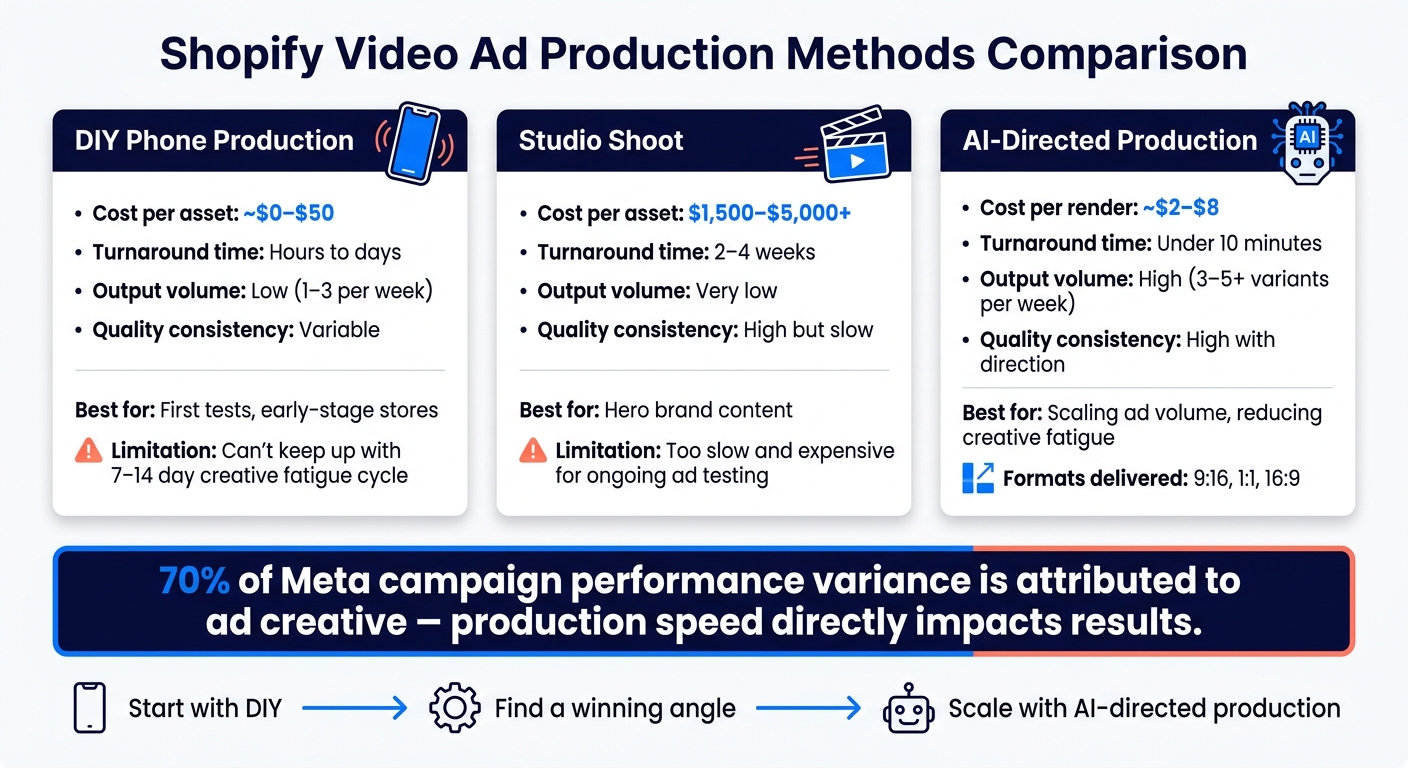
DIY vs. AI Video Production for Shopify Ads: Cost, Speed & Performance
Once you know the format, the next call is simple: who’s going to make the ad, and what process will you use?
DIY Workflow: Phone, Basic Editing, and AI Templates
For a first test, you don’t need a big setup. A phone, natural light, and basic editing can do the job. Shoot in 9:16 vertical on your phone, use natural light, and keep the background plain. Then use a tool like CapCut to add burned-in captions, trim clips, and export a clean version fast.
You can also use an AI tool that pulls product images, copy, and pricing from your Shopify URL to draft scripts and ad concepts. After that, change the first three seconds to make several hook versions fast. That speed can make a big difference when you need new angles before creative fatigue kicks in.
Where DIY Falls Short as Ad Spend Grows
As ad spend goes up, speed starts to matter just as much as quality. That’s where DIY often starts to crack. Small flaws that seemed harmless at low spend can get expensive fast. 70% of campaign performance variance on Meta is attributed to the ad creative itself, so the ad itself has more weight as spend climbs.
There’s also a brand issue. Generic AI templates can start to feel repetitive over time, and they may drift away from how the brand wants to look and sound.
The bigger problem, though, is the refresh cycle. Meta creative often loses steam within 7–14 days, and TikTok can be even shorter at 5–10 days. So the challenge isn’t making one ad. It’s keeping enough new versions in rotation. For many teams, DIY just can’t keep up.
What Done-for-You AI Production Looks Like With Elizaveta Tskhovrebova
When DIY can’t move fast enough, directed AI production can keep the pipeline moving. That’s the gap Elizaveta Tskhovrebova fills. She handles the full process end to end: concept, script, direction, editing, and sound. Deliverables can also be made in multiple aspect ratios - 9:16, 1:1, and 16:9 - so the same ad can run across different placements.
The main difference from DIY is direction. Each frame is planned like a shot, with lighting, lens, pacing, and sound considered from the start. That gives the final ad a deliberate feel instead of a generic one. The workflow is built for fast turnaround, helping Shopify founders get scroll-stopping ads out fast.
Next, match the ad to the right specs so it publishes cleanly across platforms and product pages.
Specs, Testing, and Scaling Your Shopify Video Ads
Once the hook, demo, and CTA are locked in, specs and testing shape how far an ad can go.
Video Specs for Meta, TikTok, YouTube, and Shopify Pages
Start with one 9:16 master file, then crop it for each placement. The goal isn't pixel-perfect delivery every time. It's fast reuse across platforms. From one shoot, you can export a 1:1 or 4:5 crop for Meta Feed and a 16:9 version for YouTube pre-roll.
| Platform | Aspect Ratio | Recommended Length | Best Placement Use |
|---|---|---|---|
| Meta Reels / Stories | 9:16 | 15–30 seconds | Cold prospecting & retargeting |
| Meta Feed | 1:1 or 4:5 | 15–30 seconds | Catalog browsing & standard feed |
| TikTok | 9:16 | 15–60 seconds | Native UGC-style prospecting |
| YouTube Shorts | 9:16 | Under 60 seconds | High-intent vertical discovery |
| YouTube Pre-Roll | 16:9 | 15–30 seconds | Value prop before the 5-second skip |
Use that same master cut on your product page too. One core video can feed every placement. Then test performance by changing one variable at a time. That's how you learn what moved the needle instead of guessing.
Test Hooks, Angles, and CTAs Instead of Rebuilding Every Ad
Testing is how you find a winning angle before pouring more money into production. Keep the audience and budget fixed, and test only the first three seconds. That makes it easier to spot what's driving the difference.
A good place to start is the 3×3 system: three hooks and three angles built from the same core footage. That gives you nine variations without reshooting anything.
Here's the part many stores miss: scale is often limited by creative throughput, not budget.
When you review results, pay attention to four numbers:
- Hook retention rate
- CTR
- CPA
- ROAS
For hook retention, aim for more than 35% of viewers staying past the first three seconds.
Once you find a winner, don't toss it out and start over. Build small variations instead. If an ad works, make five to eight light edits, like the hook line, color, or pacing, to help reset fatigue. Refresh hooks every week and swap formats every 2 weeks to reduce creative fatigue.
Build a Repeatable Video Ad System for Your Store
The goal is simple: build a steady flow of ads you can test. Try to put out three to five new ad variants per week so you stay ahead of fatigue and keep CPMs from creeping up.
Start with DIY production to find your first winning angle. Once you know which hook style and angle convert, production speed usually becomes the bottleneck. That's when directed AI production can help you keep up the ad volume the algorithm rewards.
FAQs
How many video ads should I test first?
Starting with just one video isn't a plan. It's a shot in the dark.
For each campaign, launch with at least three video variations. That gives you enough range to see what clicks instead of betting everything on a single idea.
If the budget is there, many brands begin with 10 base videos or test 10–15 creative variations across two or three ad sets. The goal is simple: find the winners within 7–10 days.
Once you start scaling, keep the pipeline moving with three new creative variations per week.
What should I film if I only have my phone?
Film vertical (9:16) clips that feel native to TikTok and Instagram Reels. The goal is a natural recommendation, not a polished commercial.
Use everyday spaces like your kitchen, office, or gym. Keep each clip short, casual, and fast-paced. Focus on honest reactions, simple product demos, or the problem the product helps solve.
When should I stop DIY and outsource production?
Switch from DIY when you need at least three new variations each week to keep results from slipping. Manual production often hits a ceiling at 4–8 assets per month, and that can drag down return on ad spend once creative fatigue kicks in every three to four weeks.
If your brand revolves around a person and runs on trust, stick with human creators. People tend to connect with people. But if your plan is product-focused and depends on testing lots of angles, AI-driven production is usually the more efficient move.
Need video like this for your brand?
UGC, commercials, explainers and cinematic — directed with AI, finished like a studio.
Start a project →